VIFoto1.0
Publisher Description
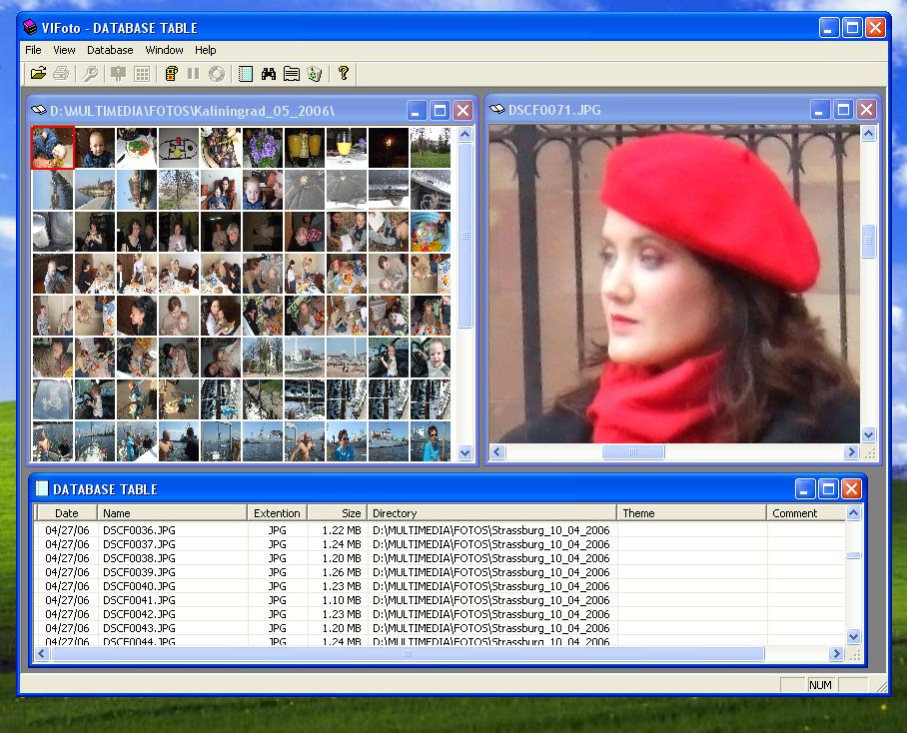
- you can open and show a lot of Photos together (in a formats: jpg, bmp, gif, wmf, emf, ico, cur);
- you can print or preview opened Photos;
- you can simply change a size of Photo by changing a size of window;
- you can scroll through all Photos in a current directory by "Left", "Right", "Home", "End" keys;
- you can show a Mosaic of all Photos from current directory and then simply double-click or press Enter to show a desired Photo;
- you can start a Slideshow for all Photos from current directory;
- you can open a lot of Photos, Mosaics, Slideshows and Database tables together;
- when you open a Photo from hard disk, all Photos from that directory will be imported automatically to an MS Access Database (to Photo.mdb file);
- every Photo-Record in a Database has a Date, File name, File extention, File size, Directory, Theme and Comment fields;
- you can find all Photos in the Database by a part of a Phrase.
- you can add a "Theme" for every Photo and than group the Photos by that Theme;
- you can see your Photos as a Table and sort them by Date, File name, File extention, File size, Directory, Theme and Comment fields;
- you can select a lot of Photos in a Table and start a Slide show for them;
- no limits for a size of your Comments for every Photo;
- no limits for amount of your Photo-Records in a Database (million and more)
- simply and friendly user interface;
About VIFoto
This Gallery & Cataloging Tools program is available in English. It was last updated on 29 September, 2026. VIFoto is compatible with the following operating systems: Windows.
The company that develops VIFoto is Valeri Vlassov. The latest version released by its developer is 1.0. This version was rated by 1 users of our site and has an average rating of 4.0.
The download we have available for VIFoto has a file size of 4.2 MB. Just click the green Download button above to start the downloading process. The program is listed on our website since 2006-06-01 and was downloaded 178 times. We have already checked if the download link is safe, however for your own protection we recommend that you scan the downloaded software with your antivirus. Your antivirus may detect the VIFoto as malware if the download link is broken.
How to install VIFoto on your Windows device:
- Click on the Download button on our website. This will start the download from the website of the developer.
- Once the VIFoto is downloaded click on it to start the setup process (assuming you are on a desktop computer).
- When the installation is finished you should be able to see and run the program.
Program Details
System requirements
Download information
Pricing
Version History
version 1.0
posted on 2006-06-01
No changes
